
New Golf Journal 2.0, rebuilt from the ground up
Log every round.
Know your handicap.
Golf Journal is the golf diary for iPhone and iPad. Log a round from its total in about 20 seconds, or hole by hole, and watch your handicap estimate move as you play. Practice, courses and stats included.
20 seconds
To log a round from its total. Hole by hole when you want more
Best 8 of 20
A handicap estimate using the World Handicap System formula
No account
No sign-up and no ads. Syncs through your own iCloud
13 languages
Yards or metres, on iPhone and iPad
A look inside
Your rounds, your practice and your handicap, in one place
Handicap estimate
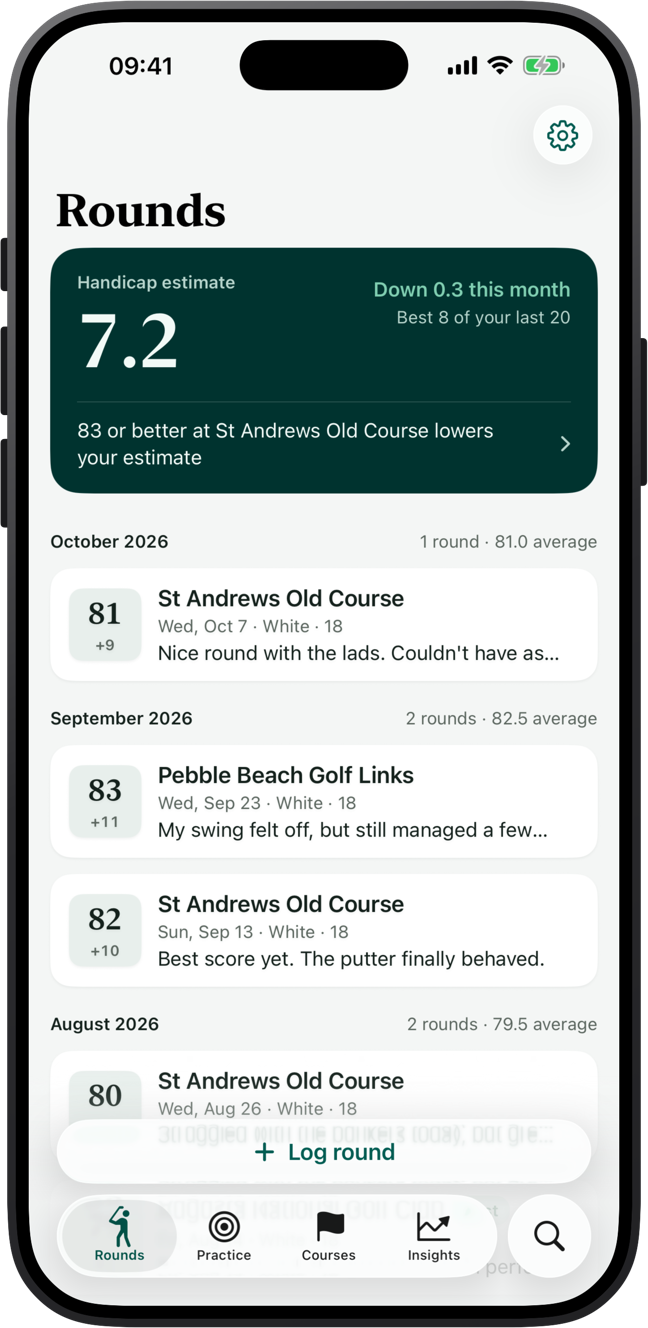
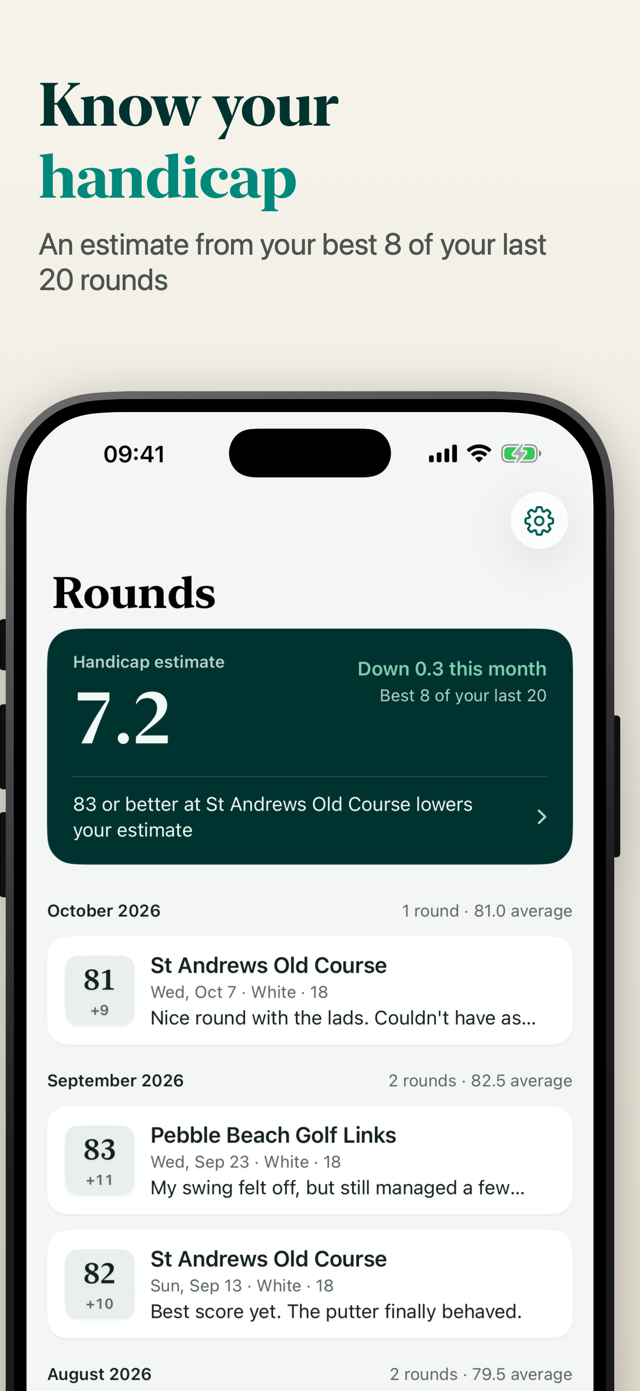
Know your handicap, and what would lower it
Golf Journal works out a handicap estimate the way the World Handicap System does: the best 8 score differentials of your last 20 rounds, with nine-hole rounds paired. It updates every time you log a round.
- Your trend over time, and which rounds count
- The next round to drop out, and the score that would bring your estimate down
- Course handicap for each set of tees, net score and Stableford points
- Have an official Handicap Index? Enter it and Golf Journal uses it instead
Log a round
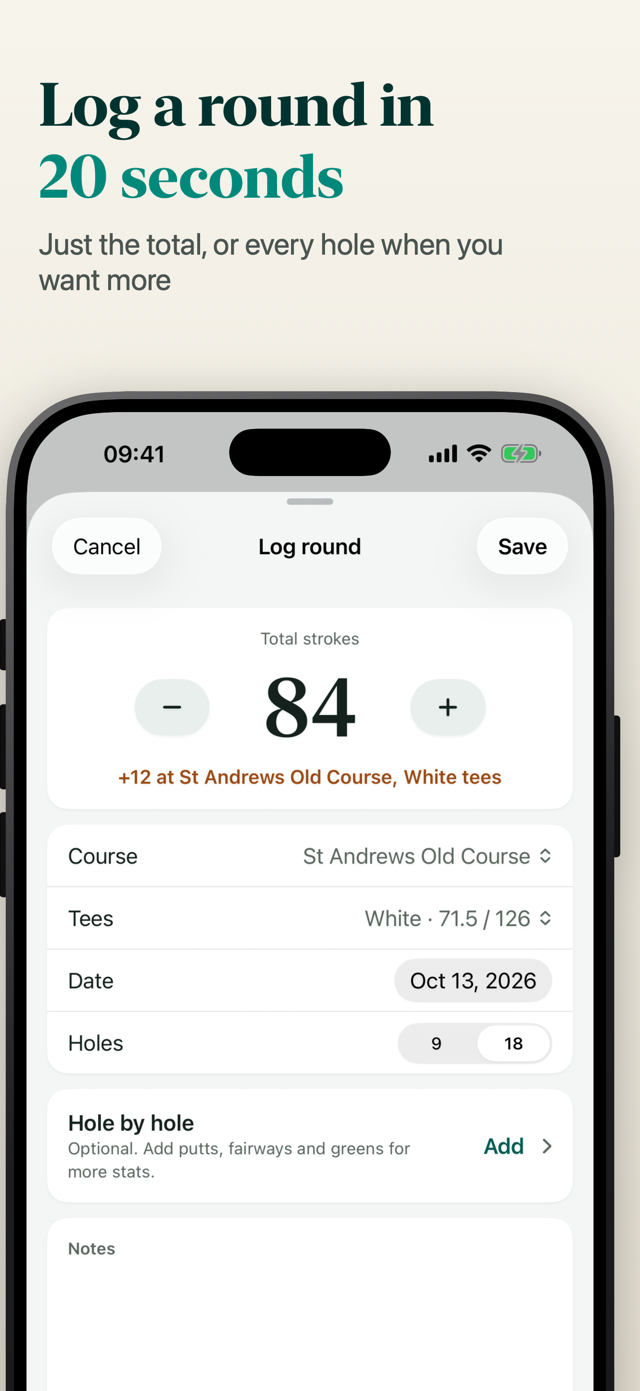
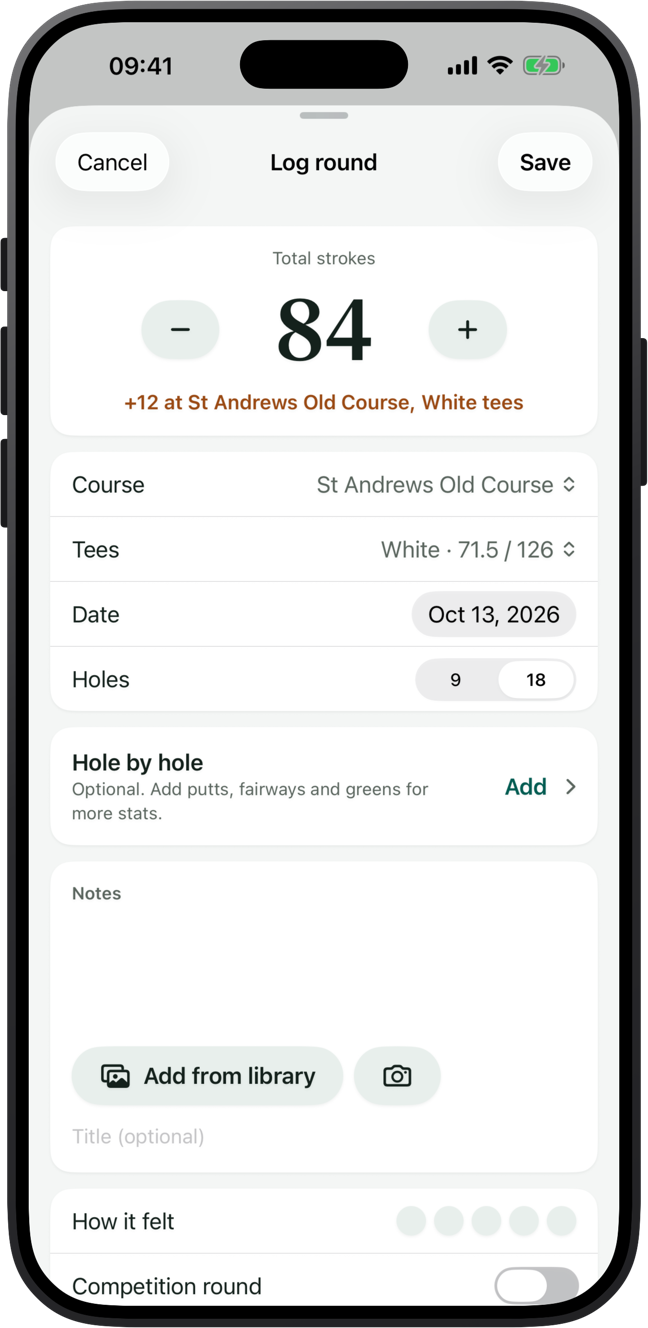
Log a round in 20 seconds
Put in the total and you're done, or go hole by hole when you want the detail. Add notes, a feel rating from 1 to 5, photos and videos, so you remember the round as well as the score.
- Strokes, putts, fairways hit, left or right, greens in regulation and penalties
- Scan a paper scorecard: take a photo and check the hole scores it reads
- Golf workouts from Apple Watch arrive ready to become rounds
Hole by hole
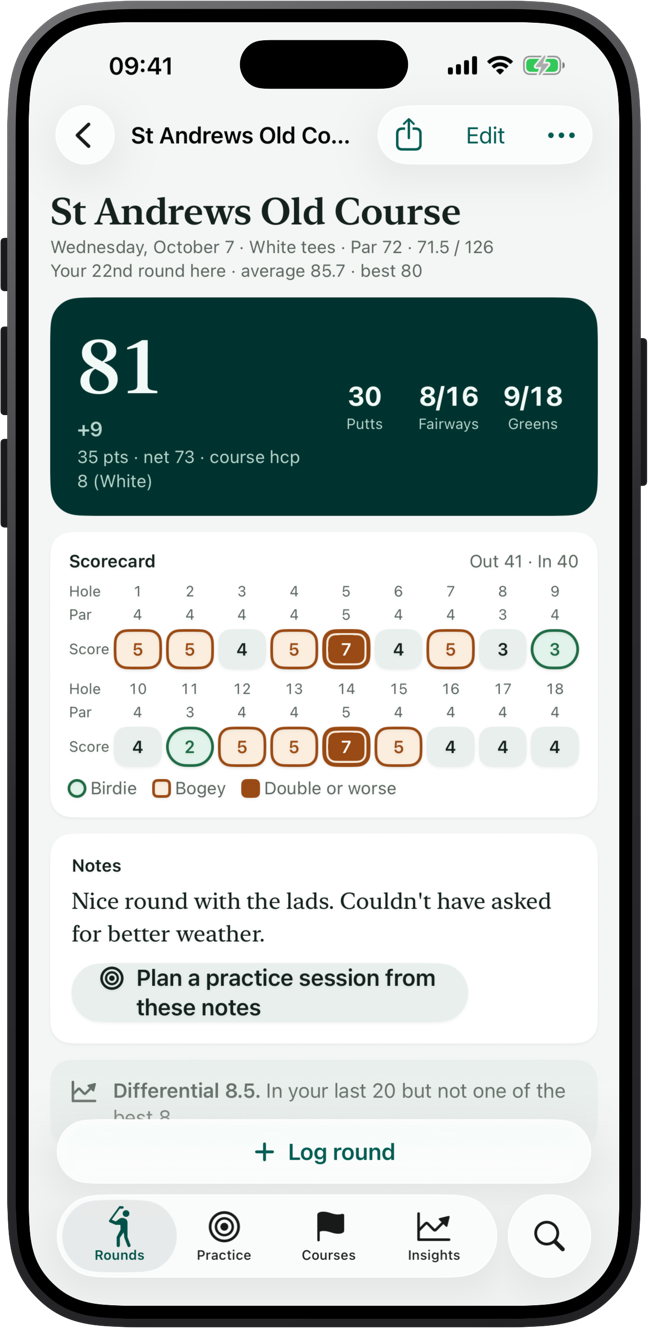
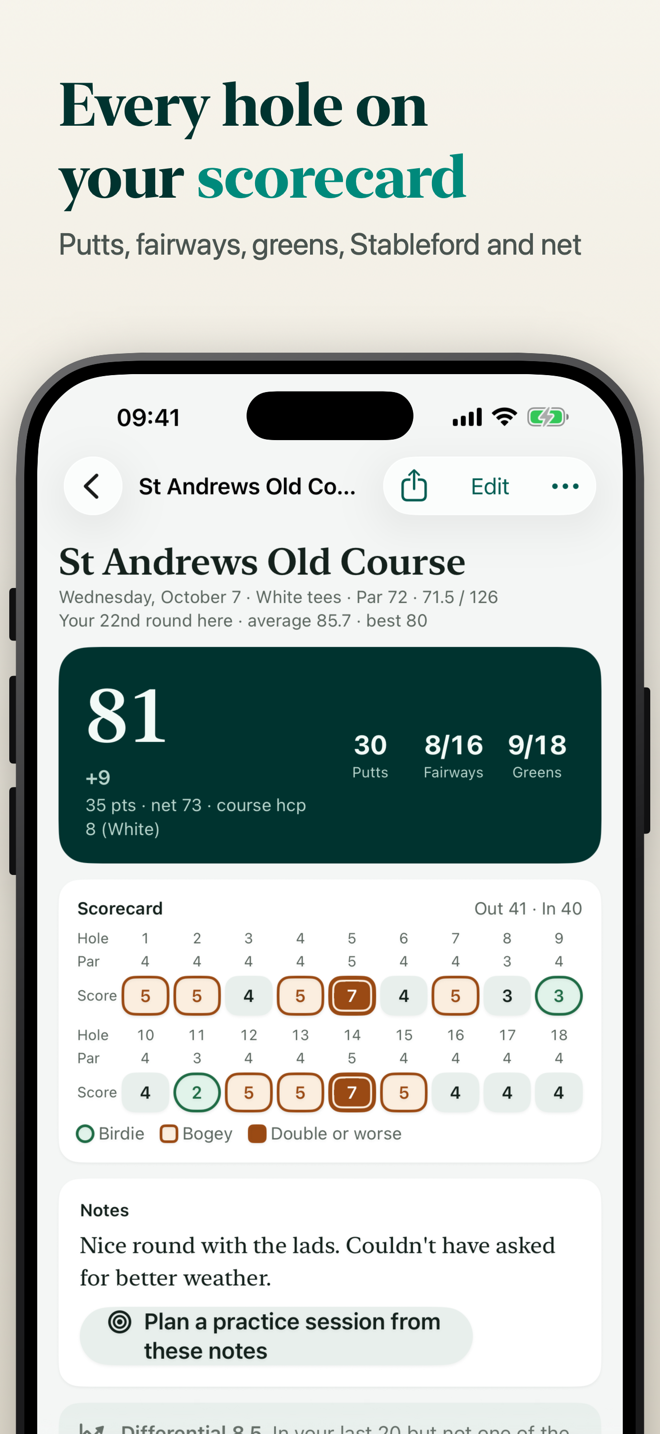
Every hole on your scorecard
Each round gets a proper scorecard, with Out and In totals and your birdies, bogeys and doubles marked, like you'd circle them on paper.
- Putts, fairways and greens for the round
- Stableford points and net score from your course handicap
- Turn a round's notes into a plan for your next practice session
Insights
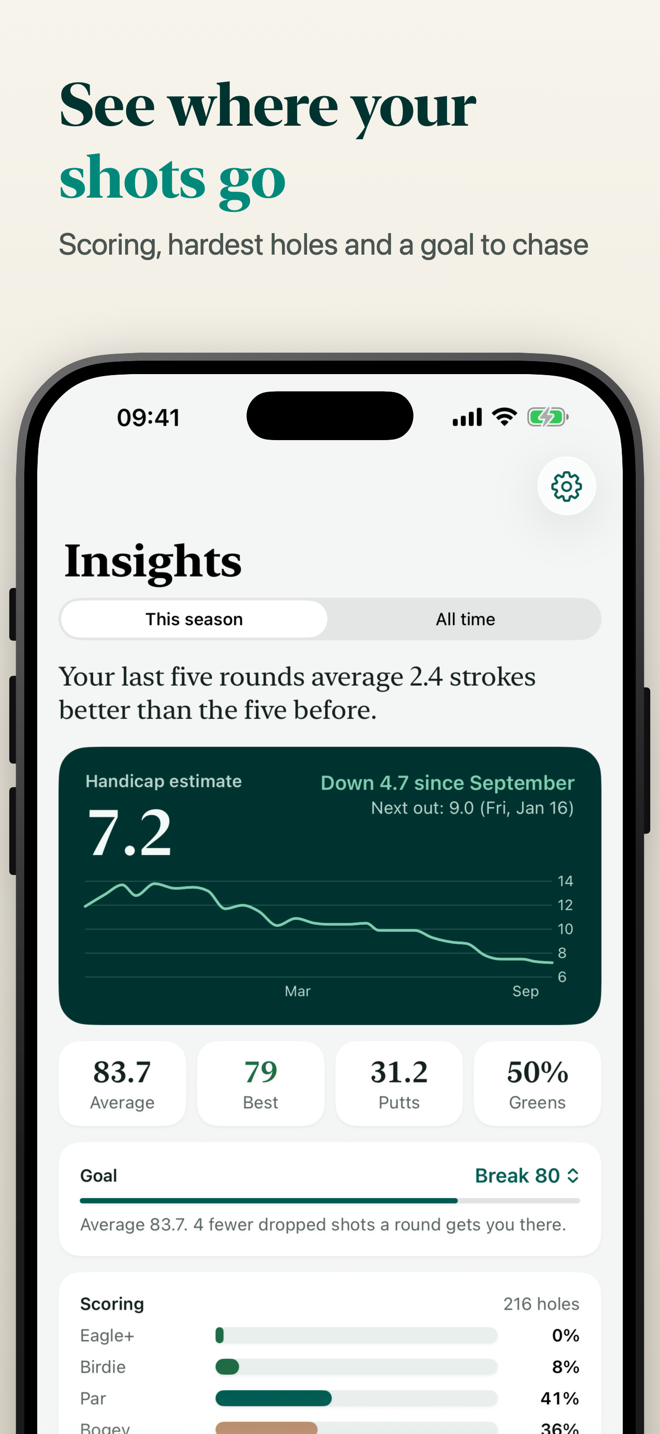
See where your shots go
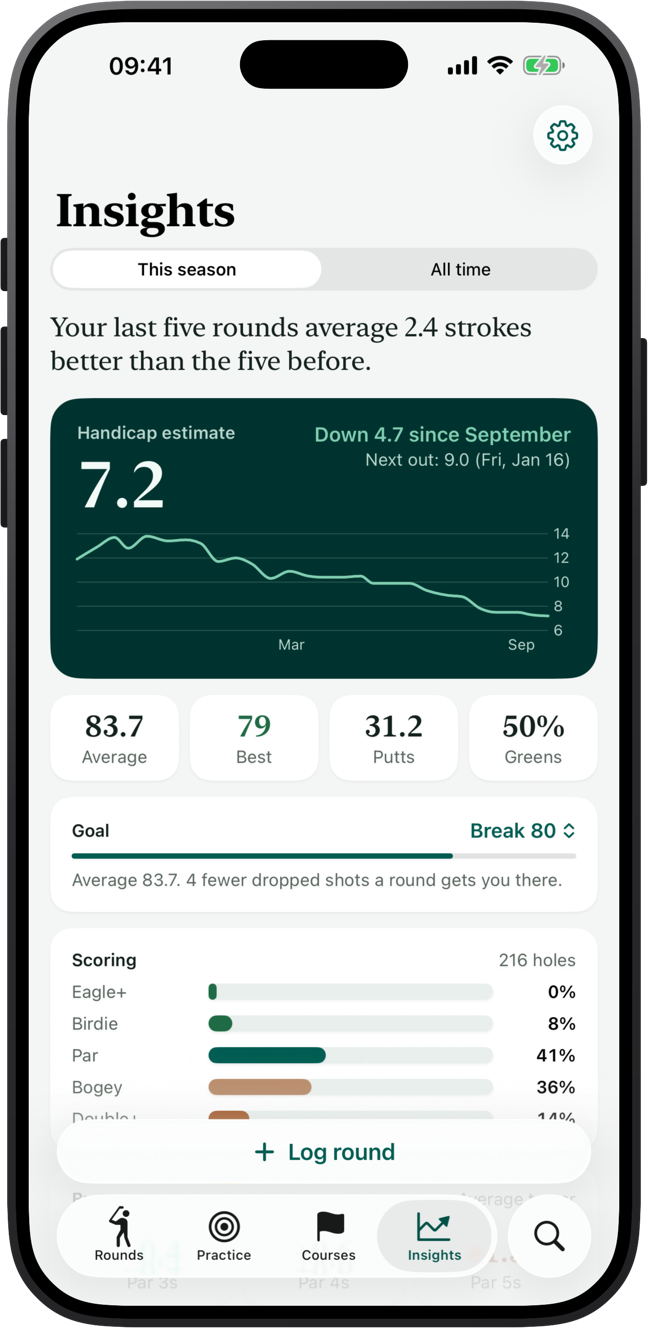
Golf Journal turns your rounds into plain answers: what you average, where the strokes go and how far you are from your goal.
- How often you make birdie, par, bogey and worse
- Scoring on par 3s, 4s and 5s, and your hardest holes
- Your scoring by course and by month, and where your practice time goes
- A goal, such as breaking 90 or getting down to 15, and how far off it you are
Practice
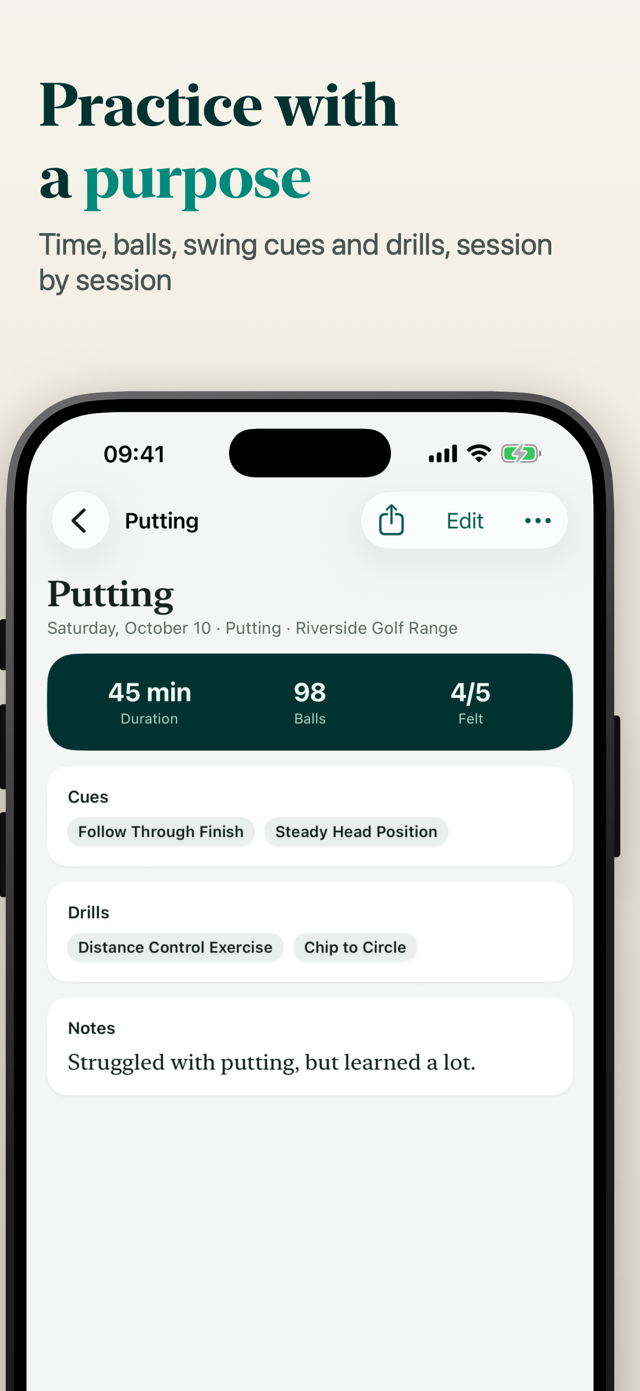
Practice with a purpose
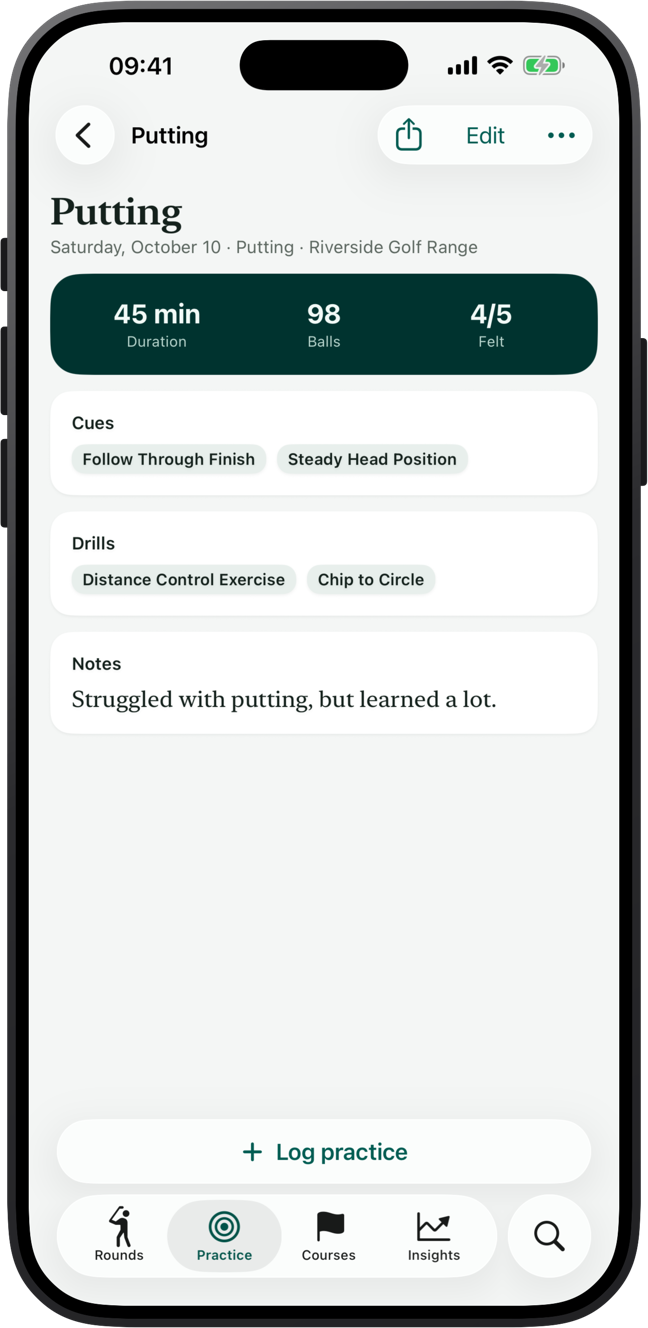
Log what you worked on: range, putting, chipping, bunker, on course, lessons, fitness or simulator, with the time, balls hit and where you were.
- Swing cues and drills that carry from one session to the next
- A practice timer: start it, then fill in the rest when you finish
- Notes, photos and videos of your swing
Courses
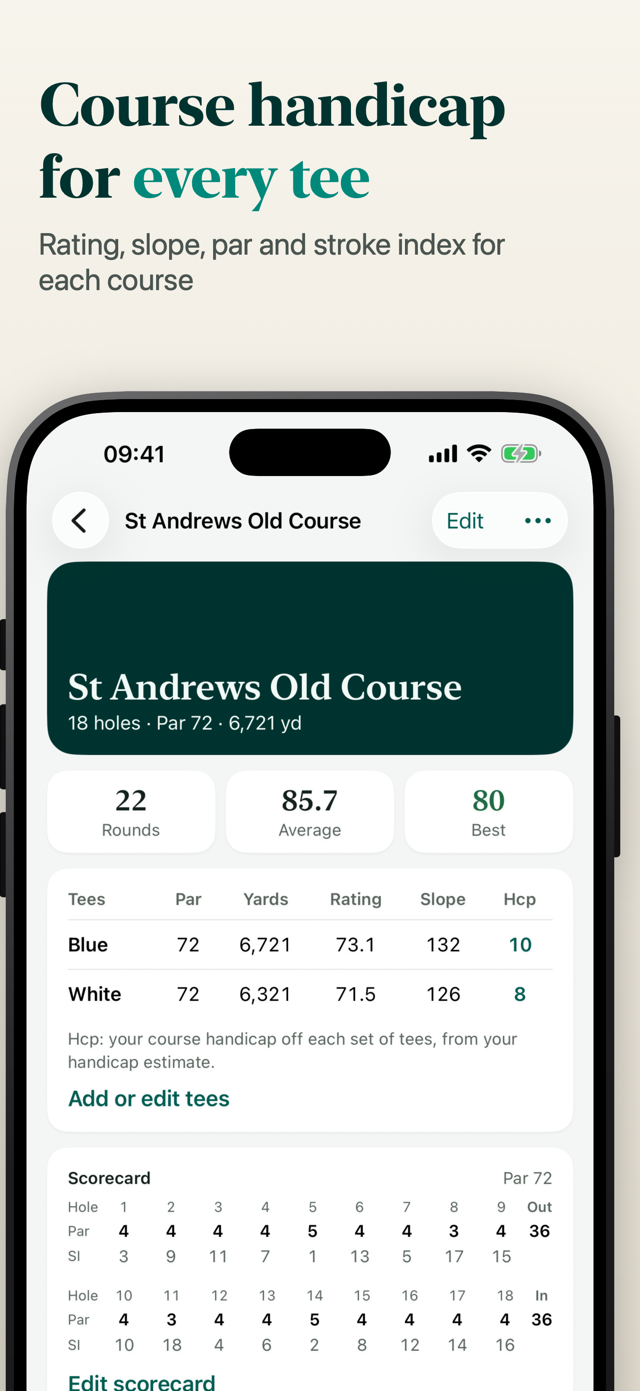
Course handicap for every tee
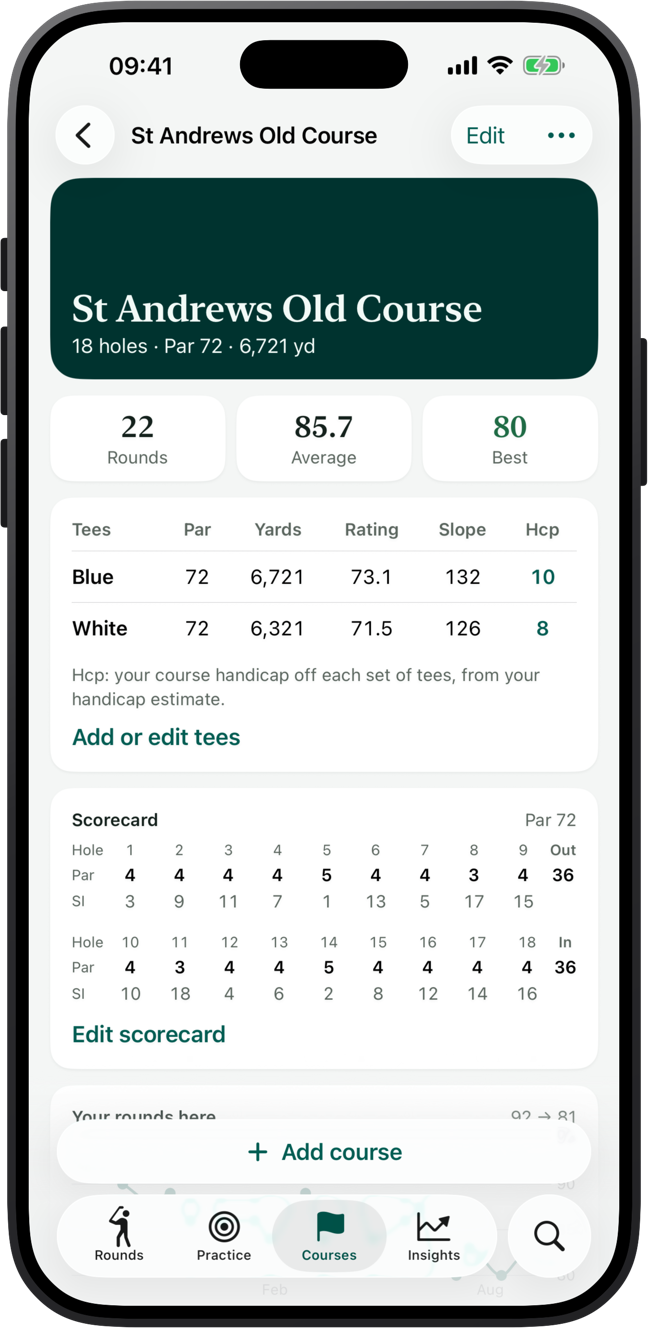
Keep the courses you play with their tees, course rating, slope, par and length, and a scorecard with par and stroke index for every hole.
- Look up courses near you or by name, from OpenStreetMap
- Your average and best score at each course
- Your course handicap from every set of tees
Try the maths
What was that round worth?
A score differential is how the World Handicap System compares a round on a hard course with one on an easy course. Put in a score with the course rating and slope from the scorecard. Golf Journal does this for every round you log.
Full handicap calculatoriPhone and iPad
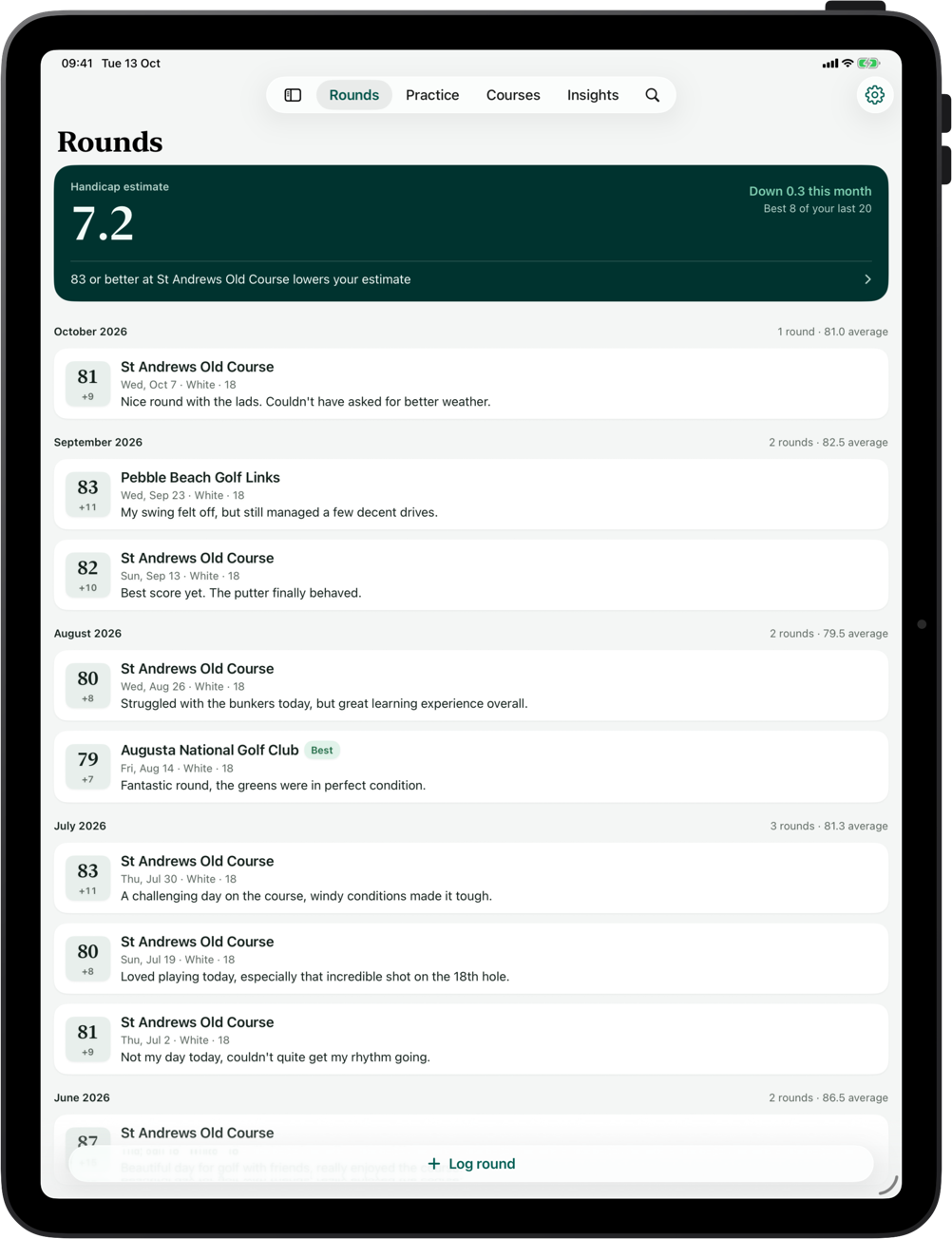
On every device, without an account
Log a round on your iPhone in the car park and look back over the season on your iPad at home. Your diary syncs through your own iCloud, so there's nothing to sign up for, and it stays on your devices and in your iCloud.
And the rest
Made for iPhone, through and through
Apple Watch rounds
Golf workouts from the Workout app become rounds, with a note of the duration, distance walked and heart rate.
Scorecard scanning
Photograph a paper card and the hole scores are read on your iPhone, ready for you to check.
Widgets
Your handicap estimate and last round on the Home Screen and Lock Screen.
Siri and Shortcuts
"Log round", "Log practice" and "What's my handicap", by voice or from a shortcut.
Export PRO
Your rounds as a CSV spreadsheet, and a printable PDF season report with your handicap trend.
Gentle reminders
A nudge when you haven't logged a round for a while, and after an Apple Watch golf workout.
Spotlight search
Search your rounds and courses from the Home Screen, and open a round straight from the results.
Share a round
Send a tidy card of your round to the group chat after a good day.
Private by design
No account and no ads. Your diary lives on your devices and in your iCloud, not on our servers.
Free and Pro
Free to start. Pro when you're hooked.
Golf Journal
Free
- Up to 3 rounds, 3 practice sessions and 2 courses
- Handicap estimate, course handicap, net and Stableford
- Hole-by-hole scorecards and scorecard scanning
- Insights, widgets, Siri and iCloud sync

Golf Journal Pro
Subscription or one-time purchase
- Unlimited rounds, practice sessions and courses
- Export your rounds as a CSV spreadsheet
- A printable PDF season report: handicap trend, every round, scoring and practice
- Everything in the free version
Upgrade inside the app. Prices are shown in your local currency on the App Store, and subscriptions can be cancelled at any time in your App Store settings.
Questions
Things golfers ask before they download
Anything else? Email hello@veglog.app and you'll hear back from the person who makes Golf Journal.
Is Golf Journal free?
Yes. Golf Journal is free for up to 3 rounds, 3 practice sessions and 2 courses, with every feature except export. Golf Journal Pro removes the limits and adds export to a CSV spreadsheet and a printable PDF season report. Pro is a subscription or a one-time purchase, priced in your local currency on the App Store.
Is it an official handicap?
No. Golf Journal gives you a handicap estimate using the World Handicap System formula: the average of your best 8 score differentials from your last 20 rounds. It's for following your own game. If you have an official Handicap Index from your club or federation, enter it in Settings and Golf Journal uses it for course handicap, net score and Stableford points.
How quickly can I log a round?
Entering just the total takes about 20 seconds. When you want more, score hole by hole with strokes, putts, fairways (hit, left or right), greens in regulation and penalties, or photograph a paper scorecard and check the scores the app reads from it.
Does it work with Apple Watch?
Golf workouts you record with the Workout app on Apple Watch show up in Golf Journal ready to become rounds, with the date and a note of the duration, distance walked and heart rate filled in. Golf Journal reads them through Apple Health; it doesn't have a Watch app of its own.
Can I find my golf course?
You can look up courses near you or by name, using OpenStreetMap data, and Golf Journal fills in what's known, such as par and hole lengths. Not every course is listed, and course ratings aren't in the data, so you can add or correct any course yourself: tees with course rating, slope, par and length, and a scorecard with par and stroke index for every hole.
Does it give GPS distances?
No. Golf Journal is a diary for after the round, or between shots if you like: scores, stats, practice and your handicap. It doesn't do rangefinder distances, course maps or shot tracking.
Do I need an account?
No. There's no sign-up and no ads. Your diary is stored on your device and syncs between your iPhone and iPad through your own iCloud account.
Which languages and units does it support?
Golf Journal is in English, German, French, Spanish, Italian, Portuguese, Dutch, Swedish, Danish, Norwegian, Finnish, Japanese and Korean, and shows distances in yards or metres.

Start your golf diary today
Free for your first 3 rounds, 3 practice sessions and 2 courses. No account to create.